The Revision Round: How Pros Handle Client Notes Without Losing Their Mind
The revision round is where good editors separate themselves from the pack. Anyone can assemble a first cut. But handling client feedback (sorting it, prioritizing it, pushing back when needed, and executing changes without breaking the edit) is the skill that keeps you employed and sane.
I've seen editors lose it during revision rounds. Not lose their temper, though that happens too. Lose their grip on the project. The notes pile up, the client's requests contradict each other, the timeline gets squeezed, and the editor starts making changes reactively instead of deliberately. The cut suffers. The client senses the desperation. Everyone walks away unhappy.
It doesn't have to be this way. After enough revision rounds, most editors land on a system that keeps them in control. It's not magic. It is a repeatable process that turns chaos into manageable steps.
What Actually Happens in a Revision Round
Let's define our terms. A revision round is a cycle: I deliver a cut, the client reviews it and sends feedback, I make changes, and I deliver an updated version. Two things make a revision round work: consolidated feedback and a clear endpoint.
Consolidated feedback means one document, or one interface, with all the notes. Not seventeen text messages. Not a forwarded email from someone I didn't know was reviewing. Not a voicemail. One organized collection of requests.
A clear endpoint means the client knows this is round one of two, or whatever your agreement specifies. There's a limit. The revision round has boundaries.
When either of these elements is missing, revision rounds become revision spirals. I've been in spirals that went seven, eight, nine rounds deep. Every editor has. The cut gets worse, not better, because each round is a reaction to the last instead of a step toward a shared vision.
My Five-Step Revision Workflow
When feedback arrives, I don't open Premiere. Not yet. I follow five steps in order, every time.
Step 1: Read Everything Without Acting
The first thing I do is read every note. All of them. I don't jump into the timeline. I don't start making changes. I just read and absorb.
This sounds simple, but it's hard to do. The instinct is to start fixing things immediately, especially if a note seems easy. "Change the font? I can do that in thirty seconds." But if you start changing things before you've read all the notes, you miss connections. Note #3 might undo note #1. Note #7 might conflict with note #4. If you don't see the full picture, you waste work.
I read through all feedback once, making mental notes about categories: pacing, graphics, audio, color, content. This categorization happens naturally after years of practice, but early on I literally wrote notes on paper. "Three pacing notes, two graphics requests, one major structural concern."
Pro tip
If feedback arrives in a format that's hard to read, scattered emails, verbal comments relayed through an assistant, don't start the revision round yet. Go back to the client and say: "I want to make sure I nail every note. Could you consolidate these into one place so I don't miss anything?" This isn't being difficult. It's being thorough. Most clients appreciate the diligence.
Step 2: Identify Conflicts and Clarify
Before I touch a single clip, I look for contradictions. Client A wants the music louder. Client B wants the music to fade earlier. Client C doesn't like the music at all and wants something "more upbeat." These three notes can't all be satisfied at once.
When I find conflicts, I send a quick clarification message. Not a long email. Just the essentials:
"Got your notes, thanks for the detail. I see a few items that need quick clarification before I start: On the music, some feedback says make it louder, other notes suggest changing it entirely. Should I try a different track, or adjust the current one? At 01:15, one note says extend the interview clip and another says trim it. Which direction should I go? Everything else is clear. Once you confirm these two, I'll have the revision to you by Thursday."
This single message saves hours. It prevents me from making a change, delivering it, hearing "that's not what I meant," and starting over.
Step 3: Prioritize by Impact
Not all changes are equal. I sort feedback into three categories before I open Premiere.
- •High impact, must-do. Changes that significantly affect the viewer's experience or address a genuine problem. Pacing issues, structural problems, incorrect information, audio that's hard to hear. These get done first.
- •Medium impact, should-do. Changes that improve the cut but aren't critical. A better font choice, a smoother transition, trimming a few frames here and there. These get done if time allows or bundled into the revision.
- •Low impact, nice-to-have. Preferences, not improvements. "I don't love this blue." "Can we try a different B-roll shot here?" These are subjective and may not get done at all, especially if they conflict with higher-priority notes.
I actually write these categories down for complex projects. It keeps me honest. Without explicit prioritization, I tend to do the easy changes first, knock out a quick font swap, while the hard structural work looms. High-impact first. Always.
Step 4: Execute Changes in Batches
Now I open Premiere and start working. But I don't hop around the timeline randomly. I batch my work by type.
First, all the pacing changes: extending clips, trimming, moving sections. Pacing is structural, so I want to get it right before layering on graphics and color adjustments.
Next, the content changes: replacing shots, swapping interview clips, updating titles. These are the functional edits.
Then, graphics and text: lower thirds, titles, any motion design. These are easier to adjust once the underlying edit is locked.
Finally, audio and color: mixing, music adjustments, color correction. These happen last because they're affected by everything above them.
Working in batches keeps me focused. I'm in "pacing mode" or "graphics mode," not constantly switching mental contexts. It's more efficient and I make fewer mistakes.
Pro tip
Before starting revisions, duplicate your sequence. Name it "ProjectName_v2_REV." This gives you a clean rollback point. If a batch of changes goes wrong, you haven't corrupted your working version. It's a safety net that costs nothing and has saved me more times than I can count.
Step 5: Review Before You Deliver
When all changes are made, I watch the entire cut through before exporting. The whole thing. Start to finish. No scrubbing. No jumping around.
Why? Because revisions have a way of creating new problems. You trimmed section A to fix pacing, but now the transition to section B feels abrupt. You swapped in new music, but the audio levels are inconsistent with the rest of the mix. You won't catch these if you only watch the changed sections.
I also check that I didn't miss any notes. I go through the feedback list item by item and confirm each one was addressed. If a note was intentionally skipped, I make a note to explain why when I deliver.
How VideoReview.pro Makes This Objective
The biggest problem with email-based feedback is that it's subjective and scattered. A client writes "the middle section drags," and I'm left to interpret what that means. Do they mean 00:45 to 01:15? The whole second act? One specific shot?
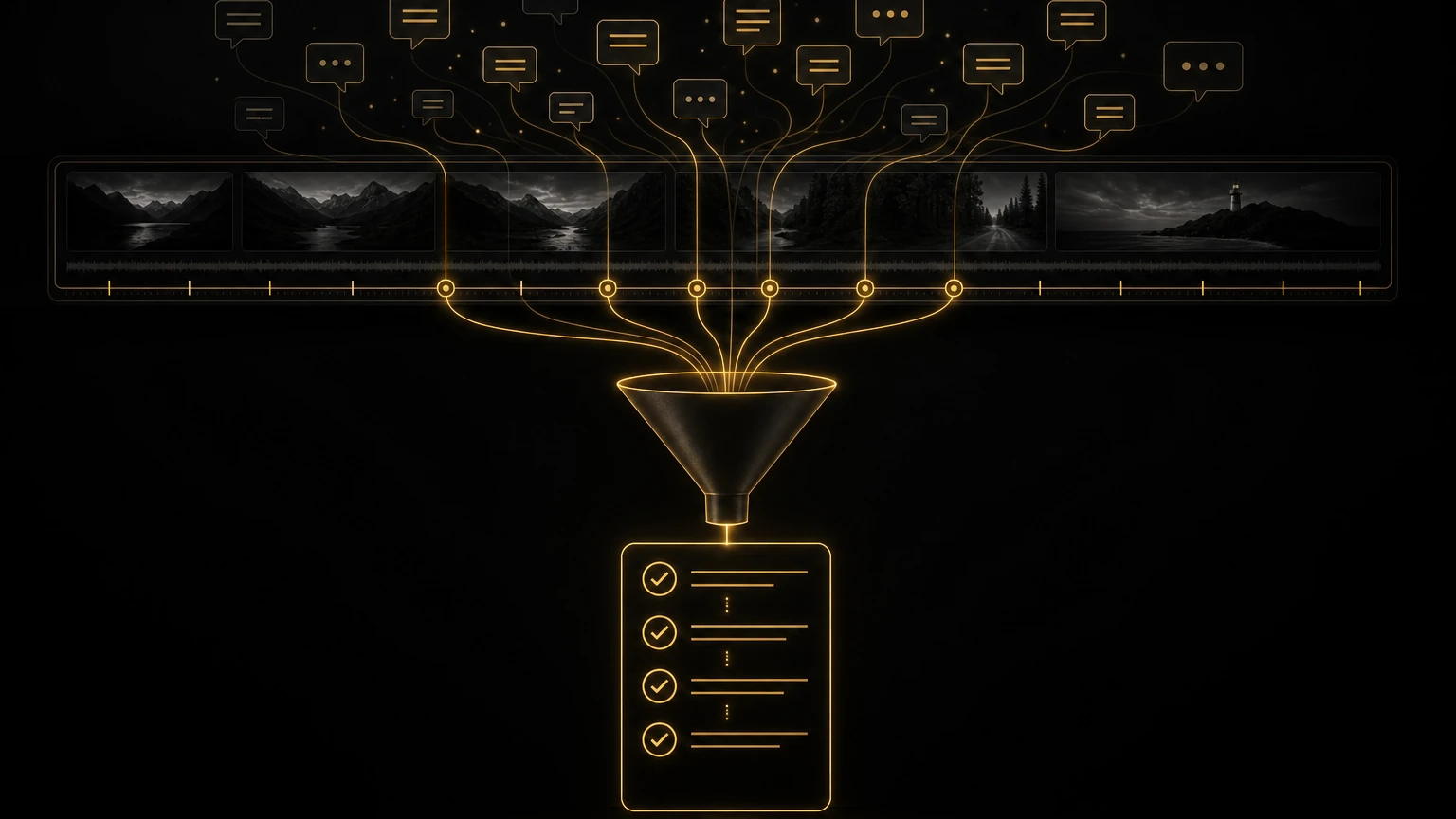
With VideoReview.pro, feedback becomes precise. Every comment pins to a timestamp. When a client says "this drags," they're clicking the exact frame where they felt it. I click the same marker and see exactly what they saw.
This precision changes the entire dynamic. Instead of interpreting vague descriptions, I'm responding to specific moments. The feedback becomes objective data, not subjective impressions.
Here's what that looks like in practice:
- •Email note: "The interview with the CEO feels long."
- •VideoReview.pro note: At 02:14, pinned comment: "This answer goes on. Can we tighten or cut to B-roll sooner?"
The email note gives you nothing to work with. The VideoReview.pro note tells you exactly where the problem is and even suggests a solution: trim four seconds, add B-roll coverage at 02:18. Client happy. One round. Done.
Email Chaos vs. Organized Review: A Real Comparison
Here's the difference side by side. The details below are a composite, but the feedback patterns are ones editors run into constantly.
Email-Based Revision Round
What the client sent (compiled from 4 emails over 3 days):
- •Email 1: "Watched the cut. Overall good. The music in the first half seems a bit loud compared to the voiceover. Also not sure about the blue title card."
- •Email 2: "Forgot to mention, can we add the drone footage from last month? Sarah said it would look great over the product section."
- •Email 3: "Actually, Sarah watched it and thinks the product section should come earlier. She says people might drop off before we get to it."
- •Email 4: "One more thing, there's a typo in the lower third at around 1 minute. Also, my boss thinks the ending needs more 'punch.' Not sure what he means but that's what he said."
The process:
- Scrub timeline looking for "the blue title card" (which one?)
- Search for drone footage, realize it's not in the project, request it
- Try to move product section earlier, which breaks the narrative structure
- Hunt for the typo at "around 1 minute," find it at 01:17
- Email back asking for clarification on "more punch"
- Get clarification two days later
- Make changes, export, deliver
- Client says the music is now too quiet in the second half
- Round 2 begins
Total time: 6 hours across 4 days.
VideoReview.pro Revision Round
What the client sent (all comments on one review link, left within 24 hours):
- •00:34: "Music feels loud here, drowns out narration"
- •00:56: "Title card color: can we try the brand orange instead of blue?"
- •01:14: "Typo in lower third: 'recieve' should be 'receive'"
- •01:52: "Product section: drone footage would elevate this. We have files from March."
- •02:38: "Can we try ending on the customer testimonial instead of the logo?"
The process:
- Click each comment, jump to timestamp, fix immediately
- Reply to the drone footage comment: "Great idea, can you share the March files? I'll add them in round 2."
- Adjust music levels across the whole piece, not just 00:34, to prevent the "now it's too quiet" problem
- Make the five requested changes, watch the full cut, export, deliver
- Client approves with minor adjustment to one title
Total time: 2.5 hours across 1 day.
That's not a slight improvement. That's a fundamentally different experience. The organized review took less than half the time, required zero clarification emails, and produced a result the client approved faster.
Pushing Back Without Being Difficult
Not every client note should be executed. Some are technically wrong. Some contradict the brief. Some would actively hurt the project. The skill is pushing back in a way that preserves the relationship.
My framework:
- Validate the concern. "I hear you that the opening feels slow."
- Explain the context. "The pacing is intentionally measured in the first 20 seconds because we're establishing the problem before the solution appears at 00:25. If we rush it, the payoff doesn't land."
- Offer a compromise. "That said, I can trim 3 to 4 seconds without losing that setup. Should I try that?"
The key elements: acknowledge, explain, offer. Never just say no. Never dismiss a client's concern as wrong. Frame your pushback as a creative choice with reasoning behind it.
Some notes I push back on regularly:
- •"Make the logo bigger." This almost always makes the project look amateur. I explain that the logo's presence in the brand film matters more than its size, and that a massive logo screams insecurity.
- •"Add more effects." Clients sometimes think motion graphics and transitions make a video feel "more professional." Often the opposite is true. I explain that restraint signals confidence, and that too many effects distract from the message.
- •"My spouse, friend, or college roommate didn't like it." This is a hard one because it's personal. I gently redirect to the target audience and the brief. "This cut was designed for your core demographic of professionals aged 30 to 50. Your nephew's opinion is valid, but he may not be the intended viewer."
Pro tip
Keep a file of pushback messages that worked. When you successfully navigate a difficult feedback conversation, save the language you used. Over time, you build a personal library of diplomatic responses. I have maybe twenty templates I reference and adapt. It makes these conversations much less stressful.
When Revision Rounds Go Wrong
Even with a great system, revision rounds sometimes derail. Here's what I've learned about the most common failure modes.
- •The late-stage pivot. Three rounds in, the client says "we've been thinking, and we want to try a completely different approach." This isn't a revision. It's a new project. I explain that a new approach requires a new scope and budget. I'm happy to do it, but not within the existing agreement. Clients usually either abandon the pivot or approve a change order.
- •The ghost client. You deliver a cut and hear nothing. Two weeks pass. Three. Then they reappear demanding immediate changes. My protocol handles this: feedback is due within five business days. After that, the project goes on hold and I reallocate my schedule. Rush reactivation is available at a premium rate. Clients learn to respect deadlines quickly.
- •The unlimited voice. A client keeps adding notes beyond the agreed rounds, treating "two revisions" as a suggestion. I address this by referencing the agreement explicitly: "This brings us to round three, which falls outside our included revisions. I'm happy to continue at my hourly rate. Want me to send an estimate?" Most clients either consolidate their remaining notes or approve the extra cost.
- •The perfectionist. Some clients will revise forever if you let them. At a certain point, the cut is done, not because it's perfect, but because additional changes aren't improving it. I learned to recognize this threshold and say: "I think we've reached a strong final version. Further changes risk overworking it. I recommend we lock this and deliver."
The Real Measure of a Revision System
Here's how I know my system works: I sleep better. Revision rounds used to keep me up at night. I'd lie awake worrying that I missed a note, or that the client would hate the changes, or that I'd opened a can of worms with one small adjustment. Now the process is mechanical enough that I can do it well without anxiety.
The system also protects my income. Before, I lost money on revision rounds because I didn't track them carefully. Now every round is documented, every extra request gets quoted, and my average project profitability has increased significantly.
Most importantly, the system protects my work. When revision rounds are chaotic, the edit suffers. I make safe choices instead of good ones. I prioritize speed over quality. With a clear process, I have the mental space to make creative decisions even while managing feedback.
Every editor needs a revision system. Not my exact system, yours. But you need one. Because without it, you're not editing. You're just reacting.
Track your revision metrics. How many rounds per project? How many hours per round? How many clarification messages do you send? These numbers reveal where your process breaks down. I use a simple spreadsheet. It's boring, but it tells me the truth about my workflow, and the truth is what lets me improve.
If you're still managing revisions through email threads and scattered messages, consider trying VideoReview.pro. The timestamped comments alone are worth the switch, they turn the most stressful part of the job into something manageable and precise. Your clients will appreciate the clarity. And you'll appreciate not losing your mind over another "make it pop" email.
More from the Cut to the Point blog, including how to get useful feedback from clients and the onboarding system that stops scope creep. If revisions are eating your week, take a look at 1-on-1 consultations.
Share this article