How to Get Useful Feedback from Clients (Instead of "Make It Pop")
Every editor has been there. You send a cut you have poured hours into. You wait. The client emails back: "Make it pop more." Pop. More. What does that even mean? More saturation? Faster cuts? A lens flare? You are not a mind reader, but apparently you are expected to be one.
I spent the early years of my career playing this guessing game. I would get notes like "the energy feels flat" or "can we make this more modern?" and spend whole evenings trying to decode what the client actually wanted. Sometimes I nailed it. More often I got a second round of notes saying "still not quite right," and the revision spiral began. Three rounds later, nobody was happy. Not me, not the client, and certainly not my schedule.
The problem is not that clients are bad at giving feedback. The problem is that nobody taught them how. We expect clients to look at a video and articulate precise creative notes with technical language they do not have, then we get frustrated when they cannot.
I changed my approach a while back, and it transformed my revision process. Here is what I learned about getting feedback that actually helps you edit better, and how to build a system that saves you from the "make it pop" abyss.
Why Client Feedback Breaks Down
Before fixing the problem, it helps to see why it happens. Bad feedback usually falls into one of three buckets.
- •Vague emotional reactions. The client feels something is off but cannot name it. "It is not clicking." They want you to diagnose and fix a problem they never defined.
- •Conflicting opinions. The marketing director wants it faster. The CEO wants it slower. You get pulled in four directions and end up with a Frankenstein cut that satisfies nobody.
- •Scattered communication. Feedback arrives through five channels: an email, a Slack message, a text at 11 PM, a voice memo, and a note from someone who overheard a comment in a meeting. You piece it together like a detective, not an editor.
I once worked on a brand film where the project lead sent a bulleted list of notes, then a more senior stakeholder sent a separate list contradicting half of it, then someone else entirely weighed in with notes that got forwarded to me out of nowhere. I had competing visions, zero clarity on who had final say, and a tight deadline.
That project taught me a hard lesson: if you do not control the feedback process, the feedback process controls you.
Set the Rules Before You Cut a Single Frame
Most feedback problems start before the edit begins. Clients do not know what to expect because nobody told them. Now every project I take on starts with a short conversation, in writing or on a kickoff call, about how feedback works. I keep it to three rules.
- One point of contact. One person on the client side consolidates all feedback and sends it to me. No exceptions. If the CEO wants changes, they tell the point of contact, who decides whether to include it. This single rule eliminates most conflicting notes.
- Two revision rounds included. The proposal specifies two rounds. Additional rounds are billed hourly. This is not being stingy, it is being clear. When clients know revisions are not infinite, they get thoughtful about their notes instead of treating every cut as a draft.
- Context, not commands. I ask clients to tell me what is not working and why, not how to fix it. "The pacing feels slow in the middle" is something I can work with. "Add more jump cuts at 01:23" means they are doing my job, and probably doing it badly.
Pro tip: write these rules into your proposal or contract. Do not leave it as a verbal agreement that gets forgotten. When feedback rules are documented, you can reference them diplomatically when things start to drift.
The Feedback Format That Actually Works
Even with good rules, clients still need structure for their notes. An email that says "looks good, just a few things" followed by eleven unrelated thoughts is not a revision brief. It is a puzzle.
I use a simple template for revision rounds. My point of contact fills it out, and I do not start revisions until it is complete. Three columns, nothing more:
- •Timestamp. Where in the video the note applies.
- •Issue. What the client thinks is not working.
- •Direction. What they would like to achieve.
Here is the difference this makes. Compare two notes for the same problem.
Bad note: "The section about our company history feels a bit long and maybe we should trim it down or move things around because I think people might lose interest."
Good note: "02:14, company history montage. Concern is audience drop-off. Goal: tighten to under 20 seconds."
The first note leaves me guessing how long is too long and whether I should restructure the whole section. The second tells me exactly where to look, what the concern is, and what success looks like. I can act on it immediately.
Pro tip: if a client sends vague notes, push back politely. Try: "Got it, to make sure I nail this, can you give me a timestamp and tell me what you are hoping the viewer feels instead?" You are not being difficult. You are being professional.
Timestamped Comments Change Everything
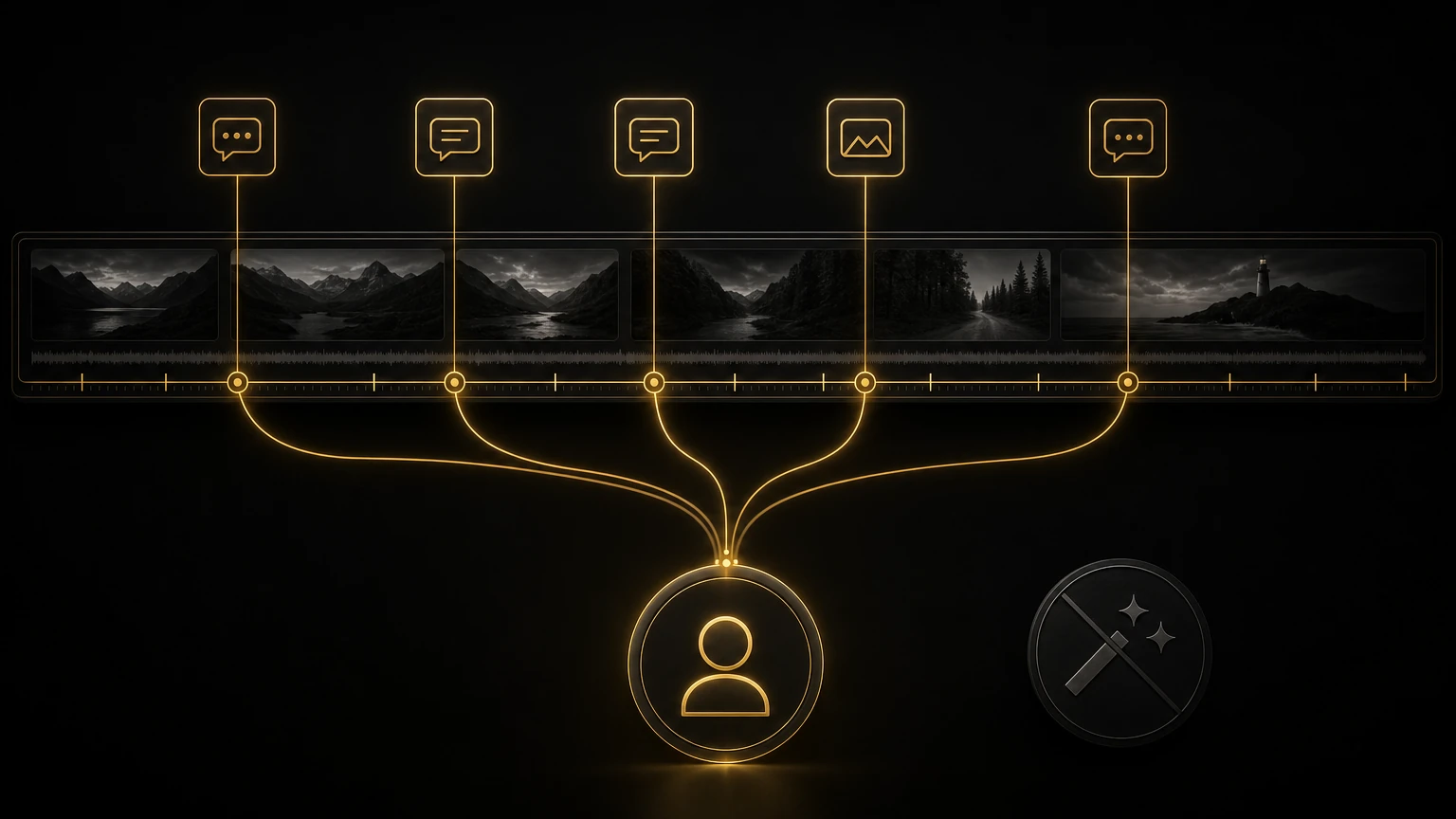
The single biggest upgrade I made to my feedback workflow was switching from email-based notes to timestamped commenting on review links. I use VideoReview.pro for this. Clients watch the video, click at the exact moment something bothers them, and type their note. The comment stays attached to that frame.
This solves problems I did not even realize I had.
- •No more hunting for timestamps. When a client emails "the logo looks too small at that one part," I used to spend ten minutes scrubbing the timeline to find what they meant. With pinned comments, I click the note and jump straight to the frame.
- •No more lost context. Email threads get buried, Slack messages disappear, phone-call notes exist only in memory. Every comment stays organized on the video itself, threaded by version.
- •No more version confusion. I used to name files "Project_v1," "Project_v1_FINAL," and "Project_v1_FINAL_FOR_REAL." New versions upload to the same link, and clients can compare side by side.
Pro tip: when you send a review link, include the deadline for feedback and the specific questions you want answered. "Please review by Friday, I would especially like your take on the pacing in section two and whether the music feels right." This focuses attention and cuts down on irrelevant notes.
Turning Feedback Into Action
Getting good notes is half the battle. What you do with them is the other half. Here is my revision workflow.
- Read everything before touching anything. One full pass through all comments, no changes yet. This shows the full picture and surfaces patterns. If three people independently flag the music, that is a real problem.
- Group by type. Pacing, music, graphics, color, content, other. Tackling all the pacing notes at once beats jumping between types.
- Flag conflicts. If one note says "make the intro longer" and another says "the intro drags," do not split the difference. Go back to the point of contact and ask.
- Estimate and communicate. Before cutting, send a quick message: "Got 14 notes. About half are quick fixes, four will take 30 to 60 minutes each, and two need assets from your team. New version by Wednesday."
- Mark resolved as you go. A clear record of what was done, and confidence for the client that their notes were actually read.
When to Push Back
Not all feedback should be followed. Some notes would hurt the project, some are technically wrong, some fall outside the agreed scope. The key is pushing back without being defensive. I use a simple framework.
- Acknowledge the concern. "I hear you that the intro feels slow."
- Explain the reasoning. "The pacing is intentionally deliberate here because we are establishing the emotional tone before the energy picks up at 00:45."
- Offer an alternative. "That said, I can tighten it by about 5 seconds without losing the setup. Want me to try that?"
This works because you are engaging with the concern as a collaborator, not dismissing it. Most clients respond well to being treated like a partner rather than being told "no." The clients who do not respond well are usually the ones who want an order-taker, not an editor. That is a relationship problem, not a feedback problem, and it is worth addressing directly.
Pro tip: keep a running log of feedback decisions, especially the ones where you pushed back. If a client later questions why something was done a certain way, you have a record, and you will spot patterns in your own decision-making over time.
The Real Cost of Bad Feedback
Let me put it in perspective. Before I systematized my feedback process, I was regularly averaging four or more revision rounds per project. Some went to seven or eight. At an hour per round on a three-minute video, that is real time, and real money, disappearing.
After implementing these changes, one point of contact, structured templates, and timestamped comments, my average dropped to about two rounds. Most projects now finish in two rounds. A significant chunk finish in one.
That is not just efficiency, it is sanity. Every round of revisions you eliminate is a round of emails you do not send, a night you do not spend second-guessing yourself, and a relationship that does not get strained by miscommunication. Clients notice too. The feedback process becomes part of your brand. When clients see a tight, organized revision workflow, they trust you more, and they come back.
Build Your Feedback System This Week
You do not need to overhaul everything at once. Here is what I would do starting from scratch tomorrow.
- •Day 1. Write a short feedback policy. One point of contact, two revision rounds, notes need timestamps and context. Put it in your proposal template.
- •Day 2. Set up a timestamped review link for your current project and send that instead of an MP4.
- •Days 3 to 5. On your next revision round, walk your client through the timestamped comment feature. Takes two minutes, saves two hours.
- •Ongoing. Track your revision rounds. Aim to reduce your average over the next three months.
The goal is not perfection. The goal is a system that gets better over time, with less stress for you and clearer communication for your clients. Because "make it pop" should never be the brief.
More from the Cut to the Point blog, including the video editing deliverables guide. If you want a second opinion on your revision process or client workflow, take a look at 1-on-1 consultations.
Share this article