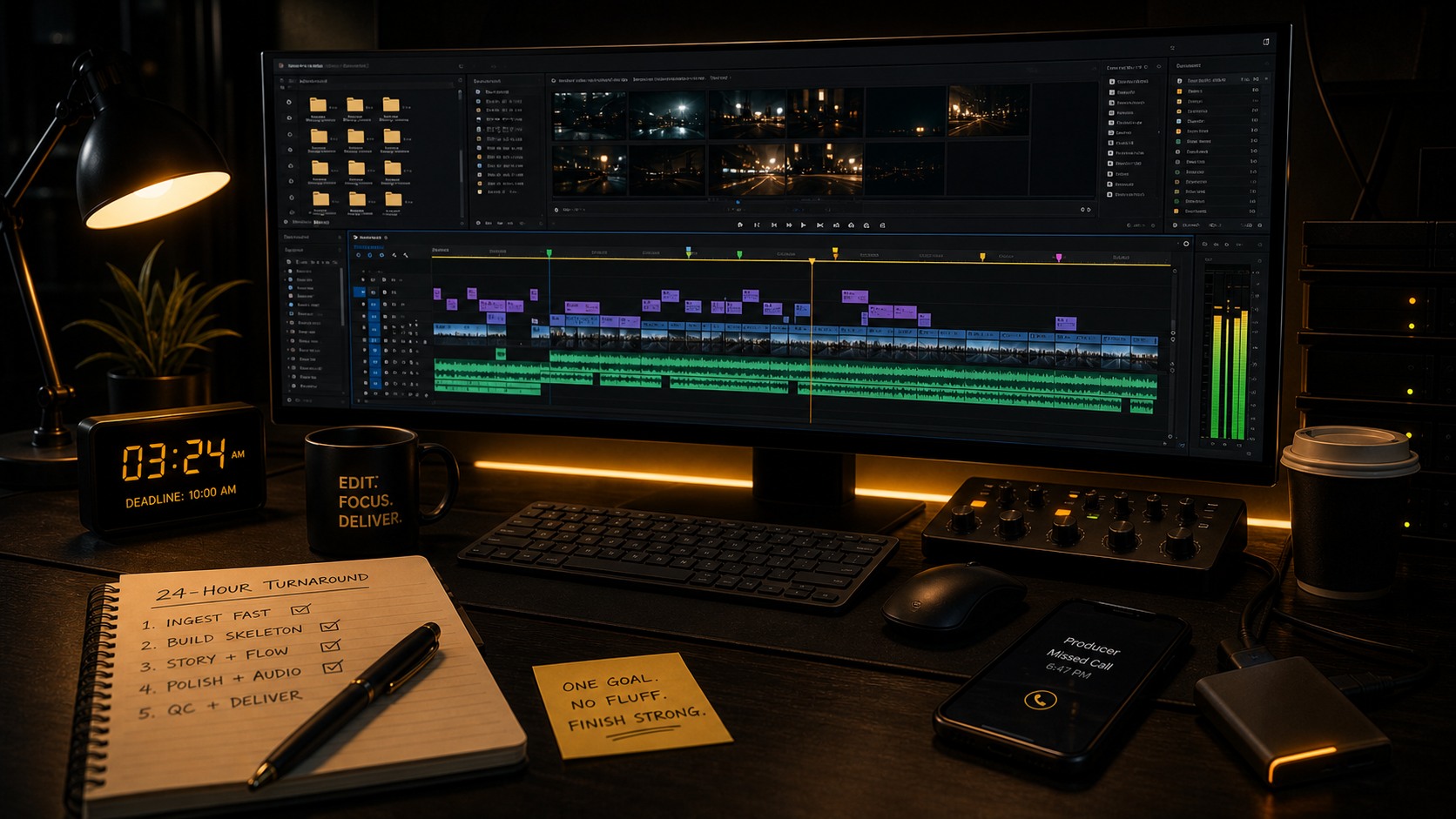
Editing Under Pressure: A 24-Hour Turnaround Workflow
The call came late one evening. A producer I had worked with before needed a short sizzle reel ready for a pitch meeting first thing the next morning. She had hours of raw footage from multiple shoots, no script, no storyboard, and one line of direction: make it feel premium. I said yes, because I have a system for exactly this situation.
I delivered the cut with time to spare before the meeting. It landed well, the client signed, and I still got some sleep because I did not waste a single minute on things that did not matter. This post is that system. It is not about cutting corners, it is about knowing which corners are load bearing and which ones are decorative. When you have 24 hours, every decision carries weight.
The Golden Rule: Front-Load Your Decisions
The biggest killer in a time crunch edit is not the edit itself. It is indecision. When you have three days you can try three music tracks, debate the opening shot, and experiment with pacing. When you have 24 hours, those luxuries will bury you.
Before you touch a single clip, answer these three questions in writing. I literally type them into a text file:
- What is the one thing this video must do? Not two things, not three. One. For the sizzle reel it was prove this team can shoot premium content. Every decision served that goal. Anything that did not, gone.
- Who is watching, and what do they care about? The viewer in that pitch was a decision maker with about 90 seconds of attention. She was not counting match cuts, she was feeling whether this production company understood her brand. That changed what I prioritized.
- What can I absolutely not get wrong? Technical quality, pacing, brand compliance? Pick your battles. In my case the music had to hit right and the opening three seconds had to grab attention. Everything else was negotiable.
These three answers become your filter. When you are three hours in and questioning whether to spend 20 minutes perfecting a transition, you check against your answers. If it does not serve the one thing the video must do, you skip it.
Pro tip: write your three answers on a sticky note and put it on your monitor. When you are exhausted at 3 AM and considering a complete restructure, the sticky note stops you from making bad decisions. Trust the version of yourself that wrote it while still caffeinated.
Fast Ingest: Get to the Edit in Minutes, Not Hours
Traditional ingest, where you log everything, label every clip, and watch every second, is a luxury for people with time. In an emergency edit you need footage in your timeline within 15 minutes of receiving the drive. Here is the protocol I run every time.
My Emergency Ingest Protocol
- Copy everything to your fast drive first. Do not edit off the delivery drive, even if it is an SSD. Copy it to your working drive and use a flat, predictable folder structure.
- Import everything into Premiere without watching it. Drag the whole footage folder into the Project Panel and let Premiere build peak files in the background.
- Sort by duration immediately. In List View, click the Duration column header. In a sizzle reel your best shots are rarely under three seconds, so I start with the longest clips. The one second clips are usually camera run-ons or mistakes.
- Watch at 2x with audio off. Scrub the Source Monitor at double speed, looking for usable content rather than perfect frames. Mark rough in and out points with I and O on anything promising and fix them later in the timeline.
- Use stringouts, not subclips. Create a selects stringout: a new sequence with all your rough selections dropped in chronological order. That becomes your working palette, everything you need on one timeline.
Here is the folder structure I drop everything into before I import:
PROJECT_24H/
01_FOOTAGE/
02_AUDIO/
03_MUSIC/
04_GFX/
05_EXPORT/
The whole process takes 15 to 20 minutes for three or four hours of footage. You are not being sloppy, you are being strategic. You will watch the footage properly when it is in your rough cut, which is when context actually matters.
Pro tip: if the footage comes from multiple cameras, add a color label per source in the Project Panel. Select all of Camera A, right click, Label, Forest Green. Camera B gets Rose. Thirty seconds of work stops you putting two mismatched shots back to back without noticing.
Rough Cut Strategy: Build the Skeleton First
I do not build rough cuts linearly, shot by shot from start to finish. I build them structurally: anchoring moments first, then filling the gaps. This is the same front loading instinct behind my project template for every edit, applied to the timeline itself.
Step 1: Find Your Anchors
An anchor is a moment that is non-negotiable. For an interview piece it is the best soundbite, the one line that carries the whole message. For a sizzle reel it is the most visually stunning shot. I find these by watching my selects stringout once at normal speed with audio on, marking each one with a timeline marker (hit M, then type a note). I usually find three to five anchors in a 90 second piece.
Step 2: Place Your Anchors on the Timeline
Drop the anchors into roughly the right positions in your final sequence. Do not worry about exact timing or transitions, just get the structural spine in place: anchor one at the start, anchor two in the middle, anchor three at the end. Now you have a story, not a pile of shots.
Step 3: Bridge the Gaps
Fill the spaces between anchors with supporting material: B-roll, cutaways, secondary soundbites. Work fast and do not perfect anything. The goal is a full timeline that plays through from start to finish without gaps.
Step 4: Watch Once, Note Everything
Play the rough cut through once without stopping and keep a text file open. Note every problem as a timestamp: cut feels slow at 0:23, need a better shot at 0:45, audio drop at 1:02. Then work the list systematically. Do not fix things as you spot them during playback or you will lose the forest for the trees.
This structural approach feels strange at first, but it produces better rough cuts faster than linear assembly because you make the creative decisions in the right order: what matters most, where it goes, and what supports it. Not just what shot comes next, and next, and next.
Pro tip: set a timer for the rough cut. For a 90 second piece I give myself 90 minutes. When the timer goes off, the rough cut is done even if it is imperfect. The remaining time is for refinement, not rebuilding. Constraints force decisions.
The AI Editor Shortcut When Time Is Everything
I used to spend the first two hours of every emergency edit just watching footage, marking selects, and building my stringout. That is two hours I do not have on a 24 hour turnaround. About a year ago I started using AI Editor for the first pass selects on time critical projects, and it changed my emergency workflow.
It analyzes your footage with AI powered transcription and clip analysis, identifies the best takes, flags the most usable moments, and can auto-select clips on criteria you set, like every sentence where the speaker says innovation, or every clip where someone smiles. For interview heavy projects the transcription alone saves me an hour of scrubbing through talking heads.
On a similar time-critical sizzle reel I had hours of interview footage across several subjects. Instead of watching all of it, I ran the analysis while I set up my project structure. By the time I was ready to edit I had a ranked, timestamped, transcribed list of the strongest soundbites. I clicked the top rated clip, watched a few seconds to confirm, and dropped it in. The selects process took a fraction of the time watching everything by hand would have.
I am not saying it replaces editorial judgment. It does not. The AI cannot tell if a line reading feels authentic or if a B-roll shot matches the emotional tone of the music. What it does is eliminate the mechanical work, the watching and scrubbing and transcribing, so you spend your limited time on creative decisions. I use it selectively, not on every project, but always on time critical and interview heavy work where finding the needle in the haystack is the bottleneck. You can find it on the presets and plugins page.
Pro tip: even without AI tools, use Premiere's Text-Based Editing for interview footage. It auto-transcribes your clips and lets you edit by selecting text in the Transcript panel. It is not as fast as a dedicated tool, but it is built in and free under Window, Text, Transcript.
What to Skip, and What to Never Skip
When the clock is ticking you make cuts. Here is the hierarchy of what goes first.
Skip Without Guilt
- •Detailed color correction. Apply one LUT to everything, fix exposure on the worst clips, move on. A rough grade applied consistently beats a perfect grade on half the shots.
- •Complex motion graphics. Static text with a subtle fade works fine. Skip multi-layer full screen graphics unless they are essential to comprehension.
- •Custom sound design. Use library SFX. One good whoosh for transitions, one ambient bed, done.
- •Frame-perfect edits. If a cut feels right within three or four frames, it is right. Move on.
- •Multiple versions. There is no time for an option B. Make one cut you are confident in and defend it.
Never Skip, No Matter What
- •Audio levels and basic EQ. Bad audio sounds amateur instantly. At minimum: a high-pass filter on all dialogue, compression so levels stay consistent, and a hard limiter at -6 dB on the master. Ten minutes that prevents disaster.
- •A proper export test. Watch the whole export before sending. Every time I have skipped this, something was wrong: a flash frame, a dropout, a sync drift. Five minutes of watching saves five hours of explaining.
- •Legal compliance. Music licensing, talent releases, logo rights. If anything is not cleared, flag it to the client in writing: this cut uses the temp music track, confirm licensing before publication. Cover yourself.
- •A second pair of eyes. Even on a 24 hour turnaround, find 10 minutes for someone else to watch. Fresh eyes catch what yours will not, especially when you are sleep deprived.
Pro tip: if you are truly solo, watch your export on a different screen than the one you edited on. The change of context, different size, color, and speakers, reveals problems your brain has filtered out on your editing setup.
Client Communication Under Pressure
Emergency edits create panic. Clients sense your stress and amplify it. Managing their expectations is not optional, it is part of the edit.
The Initial Call
When a client asks for a 24 hour turnaround I say: I can make this work, here is what I need from you right now and here is what the process looks like. Then I list it out.
- •Every file they need to send: footage, logos, music, scripts.
- •The exact handoff deadline: I need everything by 8 PM to hit your 10 AM slot.
- •How many review rounds are realistic: one round of notes tonight, addressed in the morning, no time for a second round.
- •What happens if they miss the handoff: later than 8 PM, no guaranteed 10 AM.
Get confirmation in writing. An email thread works, a text is fine. You need a record that they understood the constraints.
The Overnight Review Round
Send the rough cut the moment it is playable, do not wait for perfection. Label it clearly, ROUGH_CUT_v01_FOR_REVIEW_NOT_FINAL, and add a slate card at the head:
ROUGH CUT, FOR PACING AND CONTENT REVIEW ONLY. Color, audio, and graphics are not final.
This stops the client fixating on temp elements, and it gives you permission to improve them in the morning without it counting as a revision. When notes come back, sort them into two buckets: changes that affect structure (reordering scenes, cutting sections, replacing soundbites) and changes that are polish (a title tweak, a trimmed shot, a transition). Do all the structural changes first. If a client sends 20 notes and you only have time for 10, hit the structural ones and tell them the polish items land in the final delivery. Most clients accept this when you frame it honestly: I can implement the restructure and two graphics updates before 10 AM, the rest will be in the final file by end of day.
The Morning Handoff
Deliver 30 minutes before the deadline, not at it. Buffer time is non-negotiable. If they need to download, test playback, or move the file to a presentation laptop, they need that buffer. Delivering at exactly 10 AM for a 10 AM meeting is gambling with their reputation and yours.
The Physical Part Nobody Talks About
24 hour turnarounds are physically brutal. I have made every mistake: skipping meals, staring at a screen for eight hours straight, powering through on coffee alone. None of it makes the edit better. It makes it worse, because decision fatigue is real and your judgment degrades after hour 12. My rules now:
- •Every 90 minutes, stand up for five minutes. Walk, look at something farther than three feet away, drink water. Set a timer.
- •Eat real food, not snacks. Your brain needs fuel, not just caffeine and sugar.
- •Sleep if the timeline allows. On one such turnaround I finished the rough cut well before the handoff deadline, sent it, and got a few hours of sleep. Waking up rested made the morning polish pass noticeably faster than an all-nighter would have.
- •Stop when the marginal improvement is not worth the time. At 2 AM, 30 minutes on a transition nobody will notice is worse than 30 minutes of sleep.
Pro tip: keep a 24 hour kit ready. Noise-canceling headphones, a go-to instrumental focus playlist, your favorite snacks, and a premade project template with your standard bins, track layout, and basic effects already loaded. The 10 minutes you save not setting up matters when you only have 24 hours.
The After-Action Review
Every emergency edit teaches you something. Once the dust settles, usually 48 hours later when I have slept, I do a quick after-action review with three questions: what went well, what slowed me down, and what I will do differently next time. I keep the answers in a file called EDITING_LESSONS.txt. Over time it has become a playbook of every mistake I have made and every shortcut I have found. Repeat clients get faster service every time we work together, because their projects build their own section: I learn their footage, their preferences, and their communication style.
Emergency editing is not about being a hero. It is about having systems that let you perform consistently when the pressure is on. The editors who thrive under pressure are not necessarily faster or more talented. They are just more prepared.
More from the CTTP blog: pair this with my project template for every edit and the 10-minute project cleanup routine. When the clock is against you, AI Editor takes the mechanical work off your plate so you can focus on the cut.
Share this article